🌿 Master Your Camera Settings with Our Intuitive Calculator
Exposure Triangle Calculator
Exposure is where light becomes a photograph. This calculator helps you balance aperture, shutter speed, and ISO so you can make faster field decisions without losing sight of depth of field, motion, or image quality.
Use it to estimate EV, apply Sunny 16 starting points, compensate for ND filters, and check a rough hand-hold shutter guideline based on focal length. It is built as a practical photography tool — especially useful when conditions change quickly in the field.
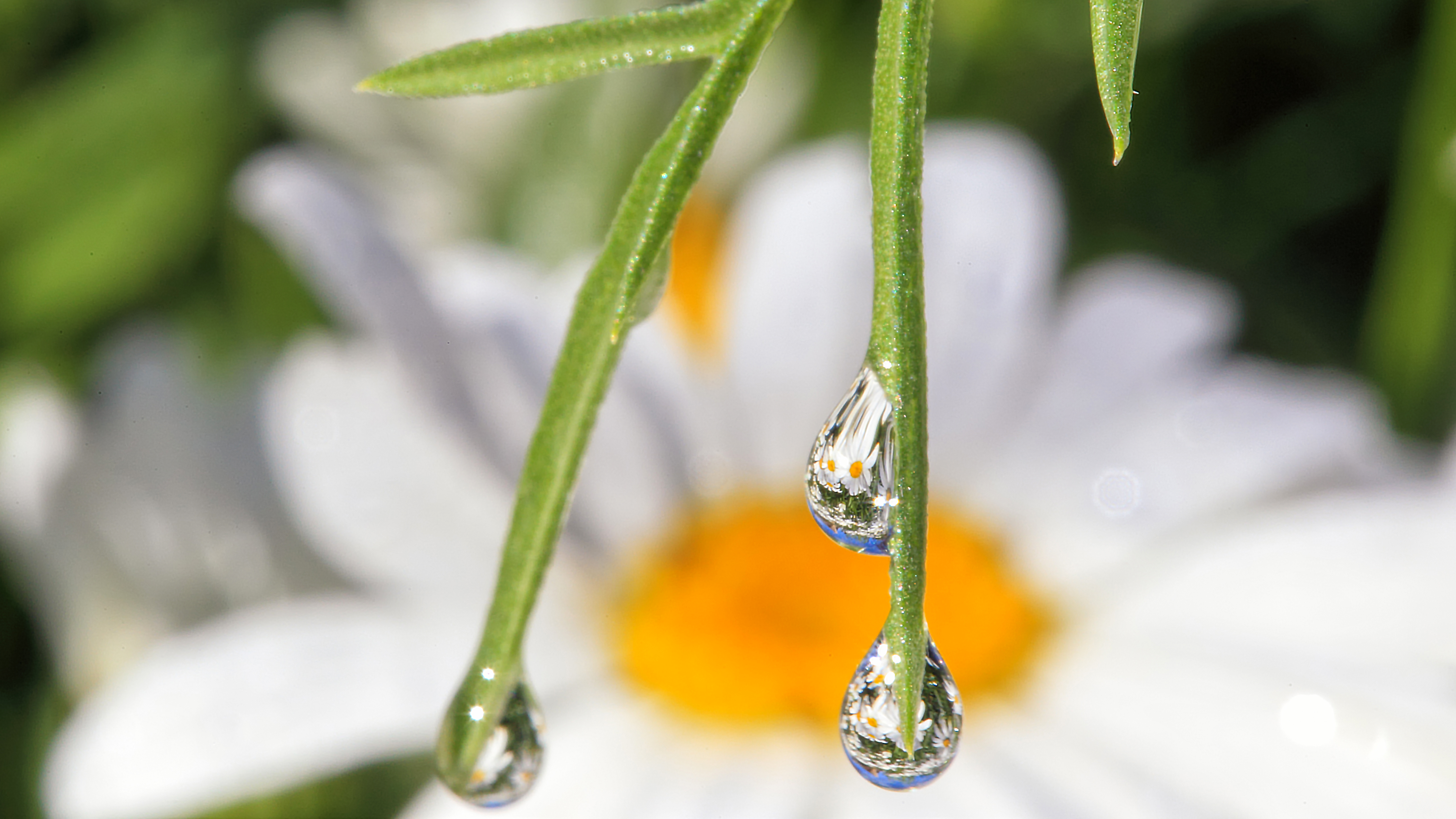
Wildflower — macro dew drops reflecting a daisy. Fine art print.
This tool helps with:
balancing shutter speed, aperture, and ISO
estimating EV and EV100
using Sunny 16 and scene presets as starting points
calculating ND filter compensation
checking a rough hand-hold shutter recommendation
finding equivalent exposures with the same brightness
Adjust Your Camera Settings
Start with aperture, shutter speed, and ISO. Compare equivalent settings, calculate added ND-filter compensation, and review a rough hand-hold guideline with its assumptions visible.
Settings are not a light measurement. An optional reference lets you compare your choices with a meter reading, an estimate, or a saved starting exposure. No reference means no scene-brightness judgment.
Calculator setup is not complete. Calculations remain disabled until the matching calculation script is installed.
Exposure & Camera Plan
No calculation has been run.
EV from Aperture & Shutter
Not calculated.
Settings-Based EV100
Not calculated.
These describe entered settings. They do not establish the scene’s actual brightness.
Reference Comparison
No comparison calculated. Without a reference, no underexposure or overexposure judgment is made.
ND Compensation
No compensated shutter calculated.
Hand-Hold Guidance
No camera-shake guideline calculated.
Equivalent Exposures
No equivalent settings calculated.
Equivalent nominal brightness does not mean identical depth of field, motion rendering, noise, or sensor exposure when ISO changes. Calculated values are not automatically available camera settings.
Calculation Record & Assumptions
No calculation record yet. A completed plan should identify the calculator version, starting settings, reference source, ND assumption, fixed-setting choice, focal length, crop factor, formulas, and rounding.
What These Numbers Mean
EV: log2(N²/t), using f-number N and shutter time t in seconds. Settings-based EV100: EV − log2(ISO/100). Neither quantity measures the scene by itself.
Equivalent settings: compare combinations at the same settings-based EV100. Matching this number predicts the same nominal brightness only under the model’s unchanged-light assumptions; it does not guarantee identical image quality.
ND compensation: multiply the starting shutter time by 2 raised to the number of added ND stops, holding aperture and ISO fixed. Filter tolerances and film reciprocity failure are not modeled.
Hand-hold guide: approximately 1 / (actual focal length × crop factor) seconds, with no stabilization allowance. Subject-motion requirements must be considered separately.
Photography background: Canon — shutter speed and motion. This is guidance, not validation of this calculator or a sharpness guarantee.
Field reminder: use your meter, histogram, and test photographs to assess the scene. This tool does not predict highlight clipping, camera-specific noise, depth of field, star trails, or subject motion. Confirm available settings and rerun the calculation after changing any input.
How to Use the Exposure Triangle in the Field
The exposure triangle is never just about brightness. Begin with the photograph you want to make: motion held still or softened, a subject isolated, or more of the scene in focus. Use aperture, shutter speed, and ISO to work toward that intention.
This calculator compares entered settings; it does not measure the scene. Start from a meter reading, a test photograph, or a clearly identified example, then use the calculations to compare alternatives. Check the actual result through your camera before treating it as a workable exposure.
Start with Shutter Speed
Use this approach when motion is the priority: birds, wildlife action, wind movement, or deliberate blur. Choose a starting shutter for the effect you want, then compare aperture and ISO around it.
Calculator choice: select Keep shutter fixed — vary aperture. The tool calculates the ISO for each alternative while preserving the starting combination’s nominal brightness.
Start with Aperture
Use this approach when subject separation or depth of field matters most. Choose the aperture for your intended focus treatment, then review whether each calculated shutter fits the motion in the scene.
Calculator choice: select Keep aperture fixed — vary ISO. The tool calculates shutter times; it does not calculate depth of field or confirm that the subject will be sharp.
Use ISO as Support
Use ISO deliberately alongside your shutter and aperture priorities. Matching nominal brightness does not guarantee matching image quality; this tool does not predict camera-specific noise.
Calculator choice: select Keep ISO fixed — vary aperture to compare aperture and shutter alternatives at one ISO. This is a comparison of settings, not a recommendation that the selected ISO is best.
Use a Reference Before You Change Settings
For a relative brightness comparison, open Optional: Compare with an Exposure Reference in the input form. Supply an ISO 100 reference and identify its source, or click Use Current Settings as Reference while the settings you want to preserve are still entered.
Then change the starting exposure and select Calculate Camera Plan. Do not capture again unless you intend to replace the reference. A result such as “1.00 stops brighter” is relative to that reference under unchanged light—not a measured overexposure or clipping warning.
With No reference — settings only selected, no brightness judgment is made. Equivalent exposures preserve the starting settings-based EV100; they do not automatically correct toward your reference.
Quick Field Logic
Bright daylight: treat Sunny 16 as an illustrative starting combination. Check the actual light and subject with your meter, histogram, and test photographs.
Golden hour: review highlights in the camera, then decide whether motion or depth matters more. The Golden Hour preset does not import the light planner’s schedule or measure the available light.
Indoors: compare the aperture and ISO options before accepting a slower shutter. The optional hand-hold guide uses actual focal length and crop factor once, with no stabilization allowance. Camera shake and subject motion are separate checks.
Night: decide whether you want stars held as points, trails, or another low-light treatment. The Night Sky example loads f/2, 15 seconds, and ISO 1600; it does not predict star trails or a correct exposure. Check long-exposure or Bulb/timer support for the durations you choose.
With ND filters: enter only the additional reduction in stops not already included in the starting exposure. The separate compensated shutter holds aperture and ISO fixed; it does not change the reference comparison or equivalent rows. Do not count an existing filter twice.
After loading any preset: review the other inputs. Presets change aperture, shutter, and ISO only; your reference, ND, lens, crop-factor, and equivalent-mode settings remain in place. Select Calculate Camera Plan when ready.
Helpful Next Steps
Read the starting-settings summary, optional comparison, ND result, hand-hold guide, and equivalent rows together. Calculated alternatives are not snapped to camera-dial values. Confirm which settings your camera and lens support before using them.
Use Copy Camera Plan or Save Camera Plan (.txt) to keep the results with Calculation Record & Assumptions. Changing inputs clears the on-page plan; calculate and save again. A file already downloaded does not update automatically.
Once you have a workable exposure, continue with composition, position, and timing. Use the related pages below, carry settings between tools manually, and keep your observed conditions separate from the calculated plan.
Exposure connects light in the field with the photograph you want to make. Use the Naturepedia topics below to explore light, observation, environment, and timing alongside your choices of aperture, shutter speed, and ISO.
This calculator compares entered settings. Related reading gives those decisions context; it does not turn the calculator into a light meter, a weather forecast, or a wildlife-activity predictor.
Light & Exposure
Connect your exposure choices with the light you observe in the scene. The Photons topic extends that reading, while the calculator keeps settings-based values separate from a light measurement.
When using an optional reference, identify whether it comes from a meter, your estimate, or earlier settings.
Start with the movement you want to record, then put your camera choices alongside field observation and behavior reading.
Equivalent nominal brightness does not mean identical motion rendering. The hand-hold guide is not a subject-motion limit or a prediction of wildlife activity.
Put exposure decisions in their actual setting: the habitat, available light, and conditions you find on location. Use the ecosystem connection to explore that context.
Check the scene with your meter, histogram, and test photographs. An ecosystem name or scene preset does not supply this calculator with a brightness measurement.
The related pages extend the reading around this tool. They do not change its exposure arithmetic, add measurements or forecasts, or independently validate the calculated results.
Keep calculated values distinct from field observations. Save the Camera Plan with its Calculation Record & Assumptions, then add your own dated notes, meter readings, and observations from test photographs.
Exposure is the bridge between light in the field and light in the final image.
Common questions about EV, Sunny 16, ND filters, hand-holding, equivalent exposures, and using the exposure triangle in the field.
Select a question to open its answer. Keep the distinction clear between entered settings, an optional reference, calculated alternatives, and what your camera records in the scene.
What is EV / EV100?
EV stands for Exposure Value. Here, EV = log2(N²/t), where N is the entered f-number and t is the shutter time in seconds. Settings-based EV100 = EV − log2(ISO/100). This puts the entered combinations on the calculator’s ISO-100 comparison scale.
Neither number measures the scene by itself. Use a separately identified reference for a relative comparison. The calculation uses the entered f-numbers literally and does not apply a camera-specific response or measured lens-transmission profile.
How does Sunny 16 work?
Sunny 16 is a daylight starting convention: around f/16 with shutter speed close to 1/ISO in bright sun. This page’s Sunny 16 button loads its original example of f/16, 1/125 second, ISO 100; it does not measure current conditions.
Review the scene with your meter, histogram, and test photographs. Loading any preset changes only aperture, shutter, and ISO; it leaves your optional reference, additional ND stops, lens inputs, and equivalent-exposure mode unchanged. Select Calculate Camera Plan after reviewing those settings.
How do ND filter stops affect exposure?
For D additional ND stops, this calculator uses tND = starting shutter time × 2ᴰ, holding aperture and ISO fixed. For example, three added stops multiply 1/125 second by eight, giving 0.064 seconds. Enter stops, not a filter-factor label such as ND64.
Use the shutter time from before adding that filter, and do not count a filter already included in your starting exposure twice. ND compensation is a separate result: it does not change the starting settings, optional-reference comparison, or equivalent rows. Filter tolerance, changing light, color shifts, and film reciprocity failure are not modeled.
What is the hand-hold shutter rule?
The optional guide uses approximately 1 / (actual focal length × crop factor) seconds, with no stabilization allowance. For 200 mm and a crop factor of 1.5, the result is approximately 1/300 second or faster. Enter actual lens focal length, not an already crop-adjusted equivalent.
Camera shake is not subject motion. This is a rough starting point, not a sharpness guarantee, wildlife-motion limit, or star-trail calculation. Leaving focal length blank skips the guide and ignores crop factor. Check the actual result and your equipment’s capabilities in the field.
What are equivalent exposures?
These are alternative settings with the same settings-based EV100, predicting the same nominal brightness under the model’s unchanged-light assumptions. They do not guarantee identical depth of field, motion rendering, noise, or sensor exposure when ISO changes.
Keep ISO fixed varies aperture and calculates shutter; Keep aperture fixed varies ISO and calculates shutter; Keep shutter fixed varies aperture and calculates ISO. Each mode uses a listed set of candidate values plus your starting value, not every setting available on every camera. The alternatives do not add ND compensation or adjust toward your optional reference.
Can the calculator tell me whether I am underexposed or overexposed?
Not from aperture, shutter speed, and ISO alone. This version does not diagnose scene brightness from typical scene ranges. With No reference — settings only selected, it makes no underexposure or overexposure judgment.
With a reference enabled, the calculator reports nominally brighter or darker relative to the reference you supplied. The difference is reference EV100 minus current settings-based EV100: a positive result means nominally brighter and a negative result means nominally darker under unchanged light. This is not a highlight-clipping test, a scene measurement, or an instruction to change exposure.
What is a good night-sky starting point?
This page’s Night Sky preset loads f/2, 15 seconds, ISO 1600 as an illustrative starting combination. Entering 15 means 15 seconds; entering 1/15 means one-fifteenth of a second. The preset does not determine whether stars will be sharp or the scene correctly exposed.
Review any retained reference, ND, and lens settings before calculating. Refine the photograph using actual conditions and test frames rather than treating the preset as a universal recommendation. The calculator retains longer equivalent exposures instead of capping them at 30 seconds; verify that your camera supports the required long-exposure or Bulb/timer setting.
How should I think about aperture, shutter, and ISO in the field?
Start with the visual priority of the photograph. Use a shutter-first approach when motion rendering matters most, an aperture-first approach when focus and depth are the priority, and ISO as a supporting choice after considering those needs.
Choose the equivalent-exposure mode that holds your priority setting fixed, then check which calculated alternatives your equipment supports. This tool compares nominal brightness; it does not calculate depth of field, noise, highlight clipping, or subject motion. Use your meter, histogram, and test photographs to assess the scene.
How does this page connect to the rest of the site?
The calculator connects practical exposure decisions with Robbie George Photography’s Field Tools, Photography Maps, light-timing planners, and Naturepedia reading about light, observation, and place.
Use the related resources to plan timing and composition, then enter and check the camera settings separately. The Golden Hour scene preset does not read the Golden Hour & Moon Phase Planner, and settings do not transfer automatically between these tools. Related reading is not independent validation of the calculator’s output.
How do I capture or enter an exposure reference?
Open Optional: Compare with an Exposure Reference. To compare before and after a change, first enter the original aperture, shutter, and ISO, then select Use Current Settings as Reference. The source becomes Earlier settings / example, with its settings-based EV100 and a note identifying the captured settings.
Next change the main exposure settings and calculate without capturing again. The reference remains tied to the earlier combination. Alternatively, select the appropriate meter or estimate source and enter a reference EV100 at ISO 100—not your camera’s exposure-compensation value. No reference means the reference number and note are ignored. A captured example is not a certified correct exposure.
Which shutter formats and input ranges can I use?
Enter shutter time as a positive fraction such as 1/500 or decimal seconds such as 0.8, 15, or 120. Do not add units or quotation marks. The starting-shutter range is 1/128000 second to 86400 seconds (24 hours). Zero, negative, malformed, or out-of-range shutter inputs are rejected.
Starting aperture accepts f/0.7 to f/64; ISO must be a whole number from 6 to 819200, not Auto ISO; additional ND accepts 0 to 20 stops. Optional focal length accepts 1 to 2000 mm, crop factor 0.1 to 10, and reference EV100 −30 to 30. These are calculator limits, not claims that your camera or lens offers every value.
Why do some results not match the settings on my camera dial?
The calculator uses entered numbers literally. An f-number such as 5.6 is not silently replaced with an ideal geometric-stop value. Calculated shutters and ISO values are not snapped to standard camera settings, so an alternative may show a fractional ISO or a nonstandard shutter denominator.
EV and stop differences are displayed to two decimals; other summaries use up to eight significant digits. The exported record and numeric equivalent rows retain the calculation’s numeric values. Results outside the starting-input ranges are marked rather than silently capped. Choose an available camera setting and recheck it; extra displayed digits do not guarantee physical accuracy.
How do I save a camera plan, and what happens when I change an input?
After a completed calculation, use Copy Camera Plan or Save Camera Plan (.txt). Both include the starting settings, reference status, ND result, hand-hold guidance, equivalent exposures, and Calculation Record & Assumptions. When clipboard access is blocked, try the text-file option.
Changing an input clears the current results and disables export until you calculate again. Already copied or downloaded plans do not update automatically. Open the saved file to confirm it was downloaded, and replace it after revising your plan. The calculator does not store a persistent plan in browser storage.
Why are the controls disabled or a calculation not completing?
Inputs remain disabled until the matching calculator script initializes. JavaScript must be enabled, and the complete interface and script must be present. This calculator uses local arithmetic; it does not wait for an astronomy library or external calculation service.
Read the status message. For an invalid input, correct the identified field and select Calculate Camera Plan again. Copy and Save remain disabled until a calculation finishes. When no reference is selected, its number and note fields are intentionally disabled; that does not prevent a settings-only calculation. Initialization or input failure should not be treated as a valid camera plan.
Keep the Reference and Assumptions with the Plan
Review Calculation Record & Assumptions beside your results, then copy or save the complete camera plan. Record meter readings and observations from test photographs separately; a calculated alternative is not a measurement of the scene.
Check available camera and lens settings. Recalculate after changing any input, and use the new export rather than relying on an older downloaded file.
Photography background: Canon — shutter speed and motion. This is background reading, not independent validation of this calculator or a sharpness guarantee. The calculator’s formulas and assumptions are documented with each completed camera plan.
About the Author
Robbie George is a nature photographer, writer, and field-based observer whose work is shaped by direct experience with light, timing, weather, wildlife, and the changing conditions of the natural world.
Exposure decisions sit at the center of that field experience. They determine whether motion is frozen or softened, whether depth is held or released, and whether the final image preserves the feeling of the moment as it was actually seen.
This tool is part of the larger Robbie George Photography system, connecting practical field technique to the broader frameworks of observation, Naturepedia, seasonal timing, and photographic decision-making across the site.
Field Guidance & Calculation Method
Robbie’s field experience informs the photographic guidance. The calculator uses local JavaScript arithmetic to compare entered exposure settings, calculate additional ND compensation, and provide equivalent settings and a rough hand-hold guideline. It does not measure the scene or apply a camera-specific response profile.
Save the Camera Plan with its Calculation Record & Assumptions, including any reference source you supplied. Keep the calculated values alongside your meter readings, histogram checks, and test photographs. A numerical match does not establish correct exposure, subject sharpness, or identical image quality.
The presence of this badge signifies that this business has officially registered with the Art Storefronts Organization and has an established track record of selling art.
It also means that buyers can trust that they are buying from a legitimate business. Art sellers that conduct fraudulent activity or that receive numerous complaints from buyers will have this badge revoked. If you would like to file a complaint about this seller, please do so here.
Verified Returns & Exchanges
The Art Storefronts Organization has verified that this business has provided a returns & exchanges policy for all art purchases.
Description of Policy from Merchant:
What is your Policy on Returns/Exchanges/Refunds?
I take great pride in my work and prints, and I want you to be completely happy with your investment in my nature art. If for any reason you are unsatisfied with your print, you may return it within 14 days of delivery, and/or exchange it for another print. Prints must be returned in new condition, packaged carefully in the original packaging if possible. Your refund will be issued as soon as I receive the returned print. Please contact me if you would like to arrange a return or exchange.
In the event that you receive a damaged or defective print, please let me know within 7 days of receipt, and I will arrange for a new print to be shipped to you at no additional cost.
Verified Secure Website with Safe Checkout
This website provides a secure checkout with SSL encryption.
Verified Archival Materials Used
The Art Storefronts Organization has verified that this Art Seller has published information about the archival materials used to create their products in an effort to provide transparency to buyers.
Description from Merchant:
Fine Art Prints are made with high-quality archival inks on fine art papers using a high-resolution large format inkjet printer. Our premium archival inks produce images with smooth tones and rich colors. Prints are made with care on your choice of exquisite Fine Art Papers using a high-resolution large format inkjet printer. https://www.graphikprintworks.com
Become a supporter of Robbie George Photography and be the first to receive new content and special promotions.
“Every image is a field. Every quote is a key. Welcome back to the rhythm.” ~Robbie
Cart
Your cart is currently empty.
Saved Successfully.
This is only visible to you because you are logged in and are authorized to manage this website. This message is not visible to other website visitors.
Import From Instagram
Click on any Image to continue
This Website Supports Augmented Reality to Live Preview Art
This means you can use the camera on your phone or tablet and superimpose any piece of nature art onto a wall inside of your home or business.
To use this feature, Just look for the "Live Preview AR" button when viewing any piece of nature art on this website!
Pounce Now—Save 20% on Your First Order
Join the collector list for your first-order discount, new wildlife releases, and occasional field notes.